

Using Catch-All Product Targets
Available In Target Tracker 3.8+
In many businesses, Product performance is a company-wide metric, as well as a salesperson-specific one. Catch-All Product Targets allow management teams to track Product performance against quota for all Opportunity Products, including those owned by salespeople without dedicated targets. Additionally, the catch-all functionality can be used independently to create company-wide product targets.
Steps to Complete
- Navigate to the “Manage Targets” Tab.
- If you can’t see the tab, navigate to the GSP Target Tracker app in the Salesforce App Manager.
- Navigate to the “Product Targets” subtab within the Manage Targets page.
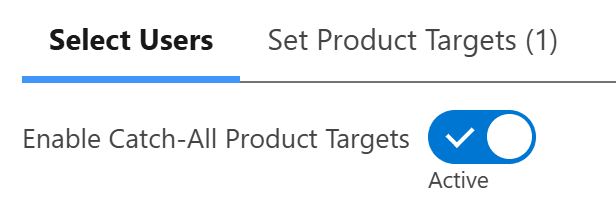
- Activate the “Enable Catch-All” toggle within the Product Target subtab.
- Enabling this toggle adds a new catch-all option within the “Set Product Targets” subtab.

- Enabling this toggle adds a new catch-all option within the “Set Product Targets” subtab.
- Click “Next” or select the “Set Product Targets” subtab directly.
- Select the Product Category you want to create catch-all targets for
- You can select the Product Category using the picklist in the top-right of the UI.
- Once selected, expand the “Catch-All” target row.
- The “Catch-All” target row functions exactly the same way as any other row in the “Manage Targets” component.

- The “Catch-All” target row functions exactly the same way as any other row in the “Manage Targets” component.
- Populate the target values for each target period.
- If you have fluctuating target values for each period, you can set them individually.
- If you have consistent target values for each period, you can set the period target once, and it will automatically apply to all periods.
- If you have an annual target to evenly distribute across each period, you can set the annual total once, and it will automatically update all periods as required.
- Once populated, click “Save”.
- In doing this, your catch-all targets for the selected product category will be created immediately.

Outcomes
When catch-all product targets are created, Opportunity Products that match the product target criteria will automatically link to those targets, regardless of who owns the Opportunity, provided the Opportunity Product does not align with a salesperson-specific target*.
Troubleshooting
Recommendation:
Further segment your product categories to reduce the number of Opportunity Products being linked to catch-all targets at once. Alternatively, set your future targets well in advance to limit backfilling.
1. Aligns with the catch-all product target correctly.
2. Doesn’t also align with a salesperson-specific product target.
3. Can be updated without encountering errors (validation, required fields, custom errors, etc.)
Recommendation:
Confirm that the impacted Opportunity Product is not owned by a user who has a salesperson-specific product target for the same period. Additionally, confirm that the impacted Opportunity Product can be edited manually without encountering any error messages (typically due to required field misalignments or validation rules)
Recommendation:
Only create catch-all product targets if you want to track the performance of all Opportunity Products against quota, regardless of salesperson.
Recommendation:
Enable catch-all product targets using the toggle, then uncheck all users in the “Select Users” section. This allows you to create a catch-all target that will track everything, essentially functioning as a company-wide product target for a specific period.
Request Further Support
If you’re still having some trouble, we’re more than happy to help. Let us know what you’re struggling with using the form below, and we’ll be in touch as soon as possible.